
Sync NODE stopped
The NODE variant of the Sync runs as a desktop application but does not have a user interface, so you won't see an application in the user interface. If it's running you will find it in the Details tab of Task Manager:
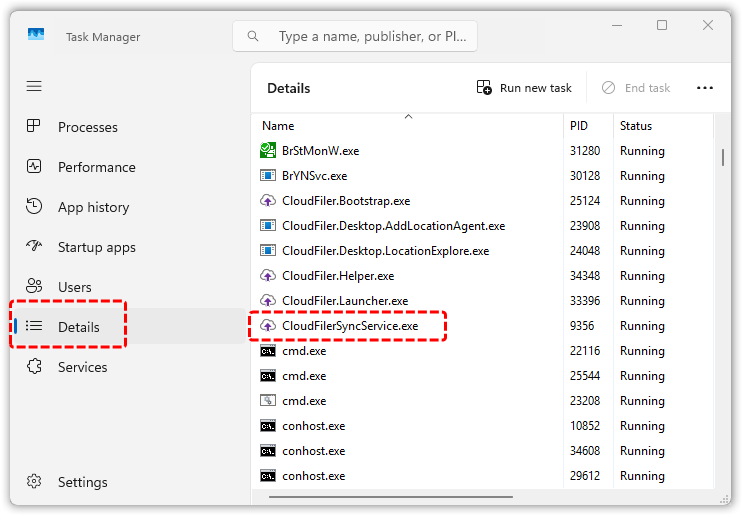
If it is not running, it will re-start when you log out and back in because the installer adds it to the Windows Start-up group:
C:\ProgramData\Microsoft\Windows\Start Menu\Programs\Startup
You can manually start it by double-clicking it.

Permissions on the destination
If files are not syncing, check that the Windows user account that is running the sync service has write permissions on the destination folder.
Third-party storage licences
If you use storage like Egnyte, Synology, Autodesk Forma, Bentley ProjectWise, the user account under which the Sync is running is likely to need a user license for these services to be able to write to the storage.
Sync license is invalid
If the sync service does not have a valid licence it can't operate, so check the log file (see below).
Check the log file
The Sync Service writes a log file named ServiceLog.txt here:
%localappdata%\CloudFiler\Sync Service
If files are not syncing as expected, be sure to check this log; the most recent entries are at the bottom of the file.