
Ensuring there is a TESTING filing location
You may find that there is already a TESTING location shown in the Add-in. If there isn’t you will need to add it as described here. You will use this to test the basic functions and can delete it later.
You are going to add the Location using a method that is typically only used during initial testing as there are better methods to use, but they are not yet available to you.
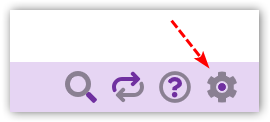
- Click on the Settings cog in the bottom right of the Add-in
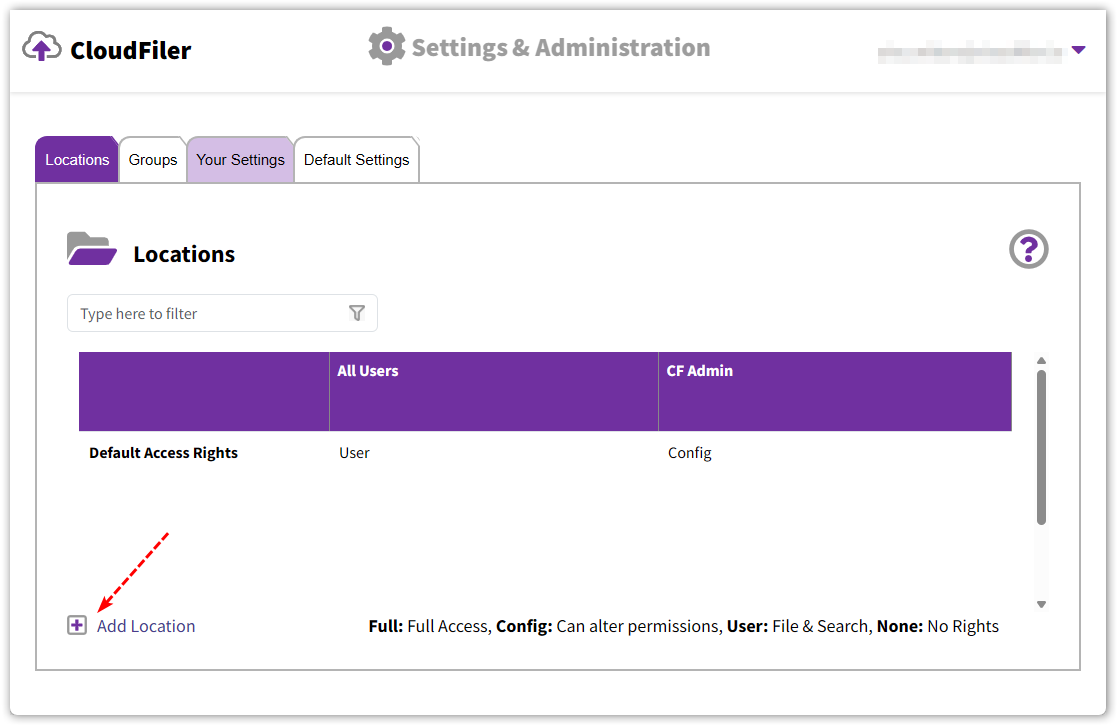
- Select the Locations tab
 WARNING: You will need to be an Admin in CloudFiler and should see more than two tabs. If you don't have more than two, get in touch with us.

- Click on the Add Location link in the bottom-left; you may need to scroll down to see it
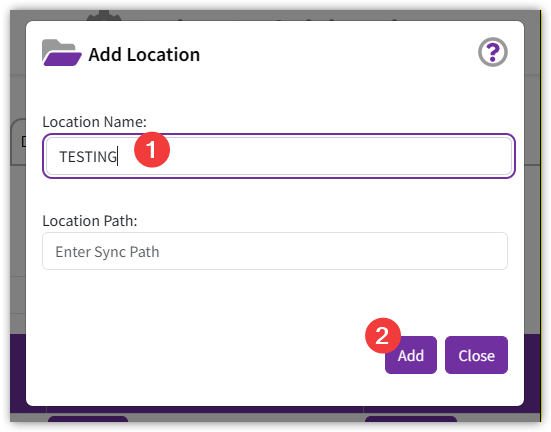
- In the Location Name field enter TESTING. Leave the Location Path field blank and pick Add
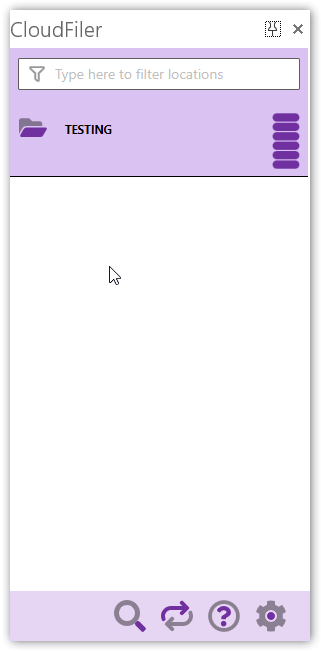
- In Outlook click on the Refresh icon
You will now have a TESTING location into which you will next file some emails
Next step: Filing some incoming and outgoing emails